
 An encrypted vault for your deeds, legal files and board minutes.
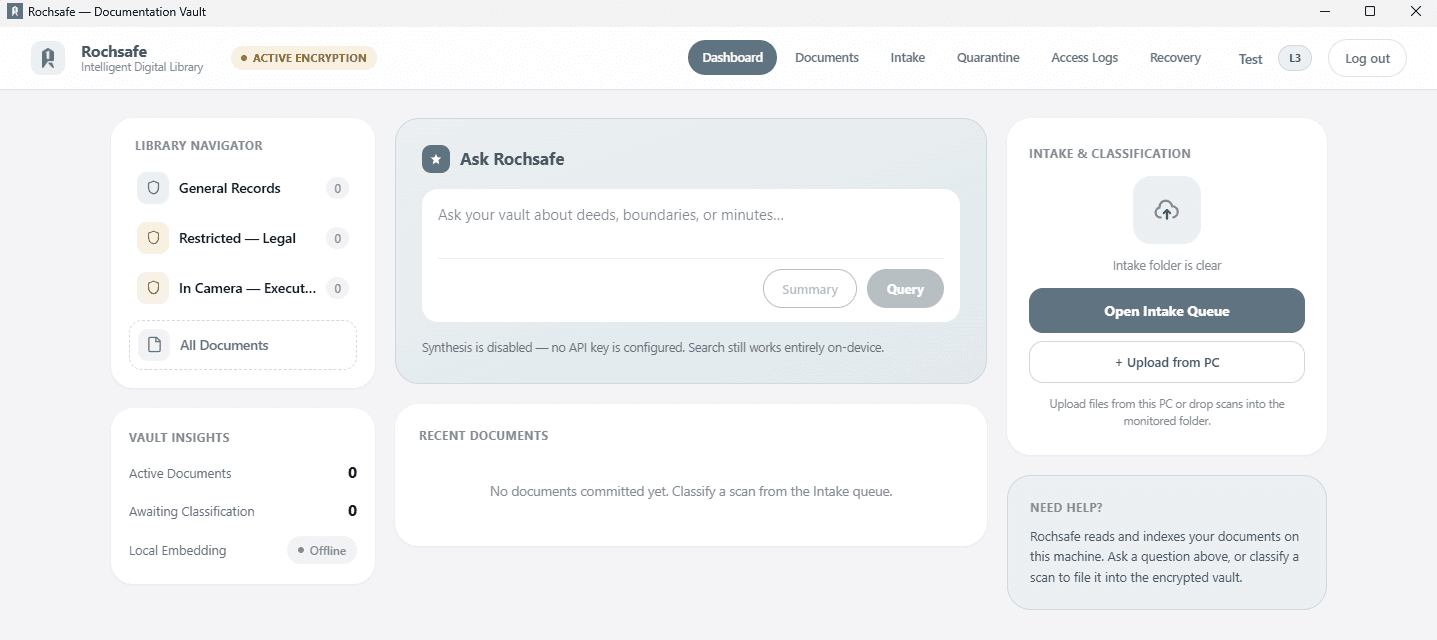
Rochsafe is a Windows application that keeps your organisation's most sensitive records on your own computers: encrypted, searchable, and visible only to the people cleared to see them.
- Runs on
- Windows 10 & 11 (64-bit)
- Internet
- Not required
- Price
- On request
Who it's for
For institutions whose records can't be replaced.
Decades of property deeds, title records, legal files and board minutes, kept by dioceses and church bodies, trusts and foundations, estates, and the legal teams that advise them. Rochsafe turns that archive into an encrypted, searchable vault without handing it to a cloud provider.
Encrypted on disk
The database and every document are encrypted with AES-256. Open the vault folder in File Explorer and you'll find only scrambled, unnamed files.
Works offline
Your archive stays on your own computers. Search, browse and view every record without an internet connection.
Clearance levels
People only find the records their clearance allows. Anything above their level doesn't appear in search results at all.
30-day quarantine
Deleted records wait in a quarantine bin for 30 days, then they're overwritten and purged automatically. Executive Board operators can shred one immediately.
Finding records
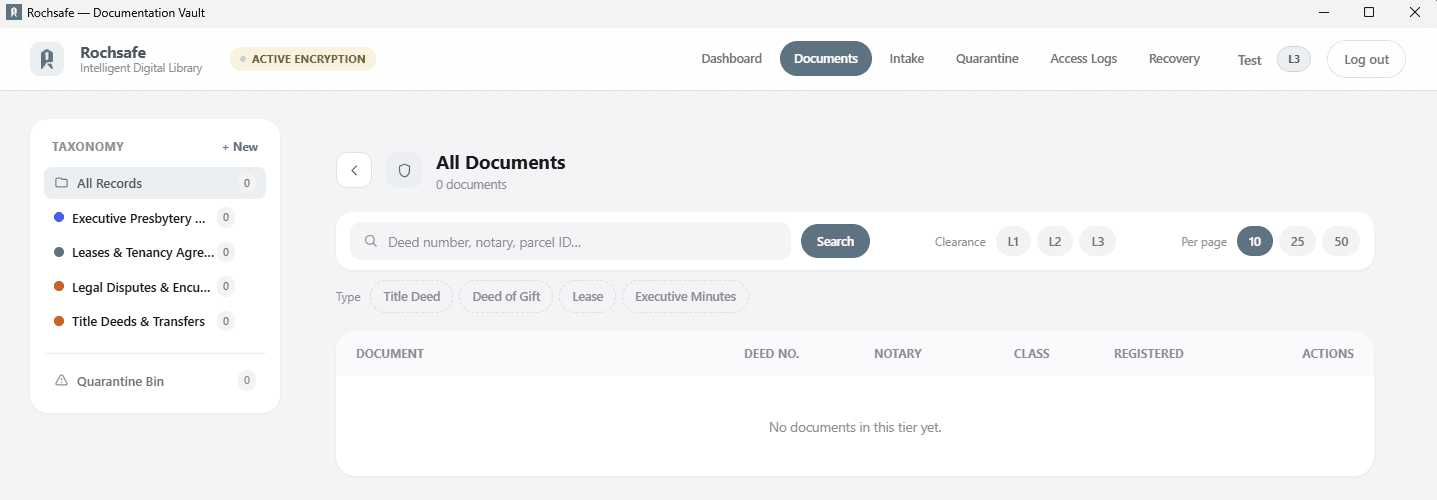
Every record filed, and found in seconds.
Organise the archive into your own folders, then search by deed number, notary or parcel ID and narrow the results by document type and clearance level. Optionally, ask questions in plain language and get answers drawn from your own records.
- Folders that match how your archive is organised
- Search by deed number, notary or parcel ID
- Filter by title deed, deed of gift, lease or minutes
- Optional plain-language questions
Intake
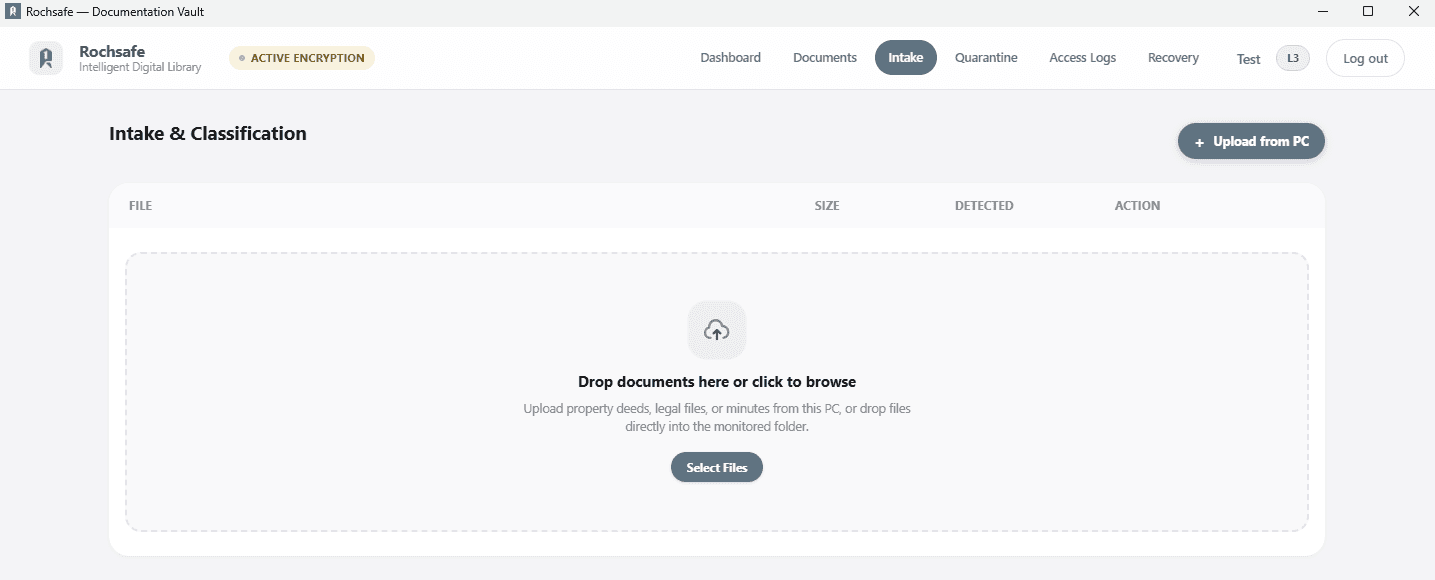
Nothing is filed without a person checking it.
Upload scans from the computer or drop them into the monitored intake folder. Each one waits until an operator classifies it; only then is it encrypted into the vault and the original removed.
- Monitored intake folder
- Upload straight from the computer
- Classified by an operator before filing
- Original removed once it's encrypted
Audit trail
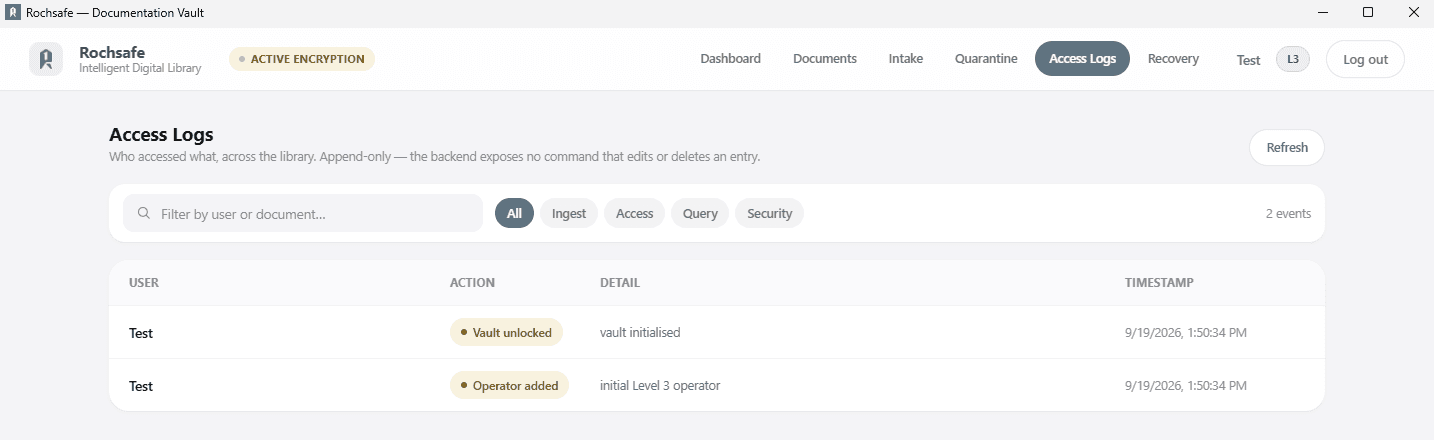
A record of who accessed what.
Uploads, access, searches and security events go into an append-only log; Rochsafe has no command that edits or deletes an entry. Documents leave the vault only as watermarked exports, with the reason recorded.
- Filter by ingest, access, query or security events
- Search the log by person or document
- Watermarked exports, logged with a reason
Clearance levels
Everyone sees exactly what their role needs.
Each operator is given one of three clearance levels. Records above someone's level stay invisible to them, in search and everywhere else.
Level 1
Data entry and scanning
Administrative clerks, scanning volunteers
Add and scan documents, and check dates, deed numbers and tags. Cannot see executive minutes or legal disputes.
Level 2
Legal and asset team
Legal officers, property trustees
Search and view all title deeds and boundary plans, including historical legal dispute files.
Level 3
Executive board
Executive leadership, trustees, general counsel
Everything, including executive minutes and audits, plus adding and removing operators.
Encryption at rest
What someone browsing the vault folder sees.
Signed in, operators see the records their clearance allows. Copy the folder to a USB drive, or open it in File Explorer, and there's nothing to read.
Signed in to Rochsafe
- Title deed — Parcel 12Level 2
- Boundary plan — Parcel 12Level 2
- Transfer deed — 1984Level 2
- Board minutes — March 2019Level 3
The same vault in File Explorer
%LOCALAPPDATA%\Rochsafe\blobs\3f\8a
- 3f8a91c07e2d4b16….bin
- c41d0b9a2f6e8830….bin
- 9e07f3d1aa58c2f4….bin
- 5bc2e8840f13a97d….bin
- d04f71b6c9a2e015….bin
- 21e9a03d7b4c66f8….bin
Getting Rochsafe
From licence to a working vault in four steps.
- Step 1
Request a licence
Tell us about your organisation and how many computers will hold the vault. We'll confirm pricing.
- Step 2
Receive your licence key
Once your licence is confirmed, we email your licence key along with a link to the installer.
- Step 3
Download and install
Run the Windows installer on each computer that will hold the vault. Administrator rights are needed.
- Step 4
Activate and set up
Enter your licence key on first launch, then create the vault and its first Executive Board operator.
Security
Built to be checked, not taken on trust.
Your IT team, auditors and legal advisers can see exactly how Rochsafe protects your records: how keys are derived, what the vault folder reveals, and when anything leaves the computer.
Questions about Rochsafe
Does Rochsafe need an internet connection?
Does it run on a Mac?
Where are our documents stored?
What if a computer is lost or stolen?
What if we forget the master password?
Is our archive used to train AI?
How is Rochsafe priced?
Request a Rochsafe licence.
Tell us about your organisation and how many computers will hold the vault. We'll confirm pricing and send your licence key.